You send a 20 percent code to your newsletter list. A week later the same code is listed on three coupon sites and offered at checkout by a browser extension to anyone who visits your store. Orders keep coming in with the code, the campaign report looks great, and much of that discount is going to shoppers who were already at checkout with a full cart.
That is coupon code leakage: a code escaping the audience, channel or campaign it was created for. Uniqodo, which builds coupon tooling, describes the commercial effect well: once a code leaks, the brand still funds the discount, but the campaign no longer targets the behaviour it was designed to influence. This post is about measurement: how to see leakage in your own order data and put a number on it.
How codes leak
| Route | How it happens | Typical signature in your data |
|---|---|---|
| Coupon sites | Codes are submitted by users or scraped from emails, social posts and checkout pages | A rise in uses days after the send, with no new send to explain it |
| Browser extensions | The extension tries known codes automatically at checkout | Uses from shoppers with no link to the campaign, often on direct or organic sessions |
| Affiliates and influencers | A partner’s code is republished beyond their audience | A partner’s code used far outside the regions or demographics they reach |
| Deal forums and social groups | A shopper shares the code with a large group | A sharp one-day spike, often from one country |
| Generic codes | Short, guessable codes such as WELCOME10 or SAVE20 | Steady use that never ends, with no campaign behind it |
Browser extensions got wider attention in December 2024, when a video by the YouTuber MegaLag showed PayPal’s Honey extension replacing creators’ affiliate cookies with its own. Google updated its Chrome Web Store policy on March 11, 2025 to bar extensions from applying or replacing affiliate codes without the user’s explicit knowledge, with enforcement beginning June 10, 2025. That policy is about who gets the affiliate commission. It does not stop an extension from finding your public code and applying it at checkout when the shopper asks it to, so the leakage problem for merchants remains.
What a leak looks like in the data
The clearest signal is the shape of a code’s daily usage. A healthy campaign code peaks within a day or two of the send and fades. A leaked code fades, then picks up again without any new send, and keeps going.
WooCommerce’s own coupon screen shows little beyond whether a code has been used. Metorik, a WooCommerce and Shopify analytics tool, wrote years ago that evaluating coupon success natively is almost impossible in WooCommerce, and its own single coupon report adds usage over time, breakdowns by billing country and state, and the products most often bought with a code. Those breakdowns are exactly where leaks show. You can build the core of it yourself from the analytics tables WooCommerce already maintains:
-- Daily uses per coupon code, with new-customer share and discount cost
-- wc_order_coupon_lookup links each order to the coupons applied;
-- the coupon code itself is the post_title of the shop_coupon post.
SELECT p.post_title                                     AS code,
       DATE(l.date_created)                             AS day,
       COUNT(*)                                         AS uses,
       SUM(l.discount_amount)                           AS discount_given,
       SUM(CASE WHEN s.returning_customer = 0
                THEN 1 ELSE 0 END)                      AS uses_by_new_customers,
       SUM(s.net_total)                                 AS net_sales
FROM wp_wc_order_coupon_lookup l
JOIN wp_wc_order_stats s ON s.order_id = l.order_id
JOIN wp_posts p          ON p.ID = l.coupon_id
WHERE s.status IN ('wc-processing', 'wc-completed')
  AND l.date_created >= '2026-09-01'
GROUP BY code, day
ORDER BY code, day;
On Magento, the applied code is stored on sales_order.coupon_code with the discount in base_discount_amount, so the same daily view is a single-table query.
Six tests for a leaked code
| Test | How to compute it | What suggests a leak |
|---|---|---|
| Off-list use | Share of uses whose billing email is not on the list the code was sent to | More than a small share for an email-only code |
| Late use | Uses more than 7 days after the last send | Steady or rising, rather than fading |
| Wrong audience | New-customer share on a code meant for existing customers, or the reverse | A retention code used mostly by first-time buyers |
| Wrong geography | Uses by billing country against the campaign’s target markets | A cluster in a country you did not target |
| Coupon-site sessions | Orders whose session source in GA4 or in order attribution matches coupon or deal domains | Any meaningful volume; these are code hunters by definition |
| Velocity jump | Day-over-day uses compared with the code’s own recent average | A jump with no send, post or partner activity to explain it |
The off-list test is the most reliable for email codes. Export your send list, join it to billing_email on the order (in the wc_orders table if High-Performance Order Storage is on), and compute the share of uses with no match. Expect a little noise from customers who check out with a different address than they subscribed with. Anything well beyond that is leakage.
Putting a number on it
Not every leaked use is a loss. Some shoppers who find a code on a deal site are genuinely new and would not have bought without it. The cost of leakage is the discount, and any commission, paid on orders that would have happened at full price. That share cannot be read directly from the data, so estimate a range and show it.
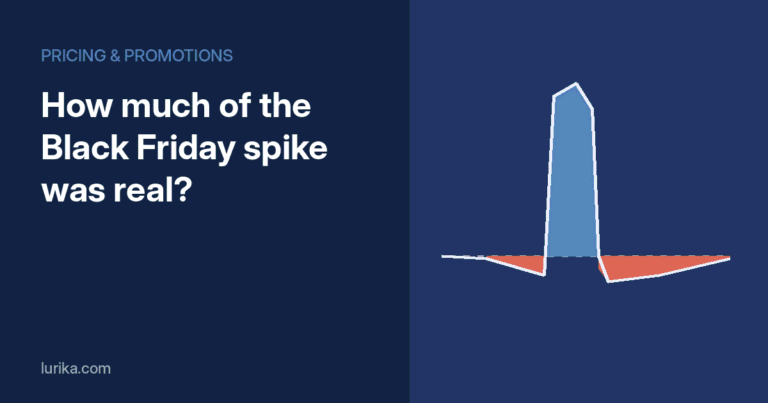
Two pieces of evidence help size the red segment. First, look at what happened before the code was applied: sessions that reached checkout, left for a coupon or deal domain, and came back to buy are almost certainly full-price buyers who went looking for a discount. Second, compare off-list users with the store’s normal customers: if their conversion path, order value and product mix look like your regular full-price buyers, most of them probably were.
| Line | Low estimate | High estimate |
|---|---|---|
| Leaked uses (off-list) | 380 | 380 |
| Share that would have bought at full price | 40% | 75% |
| Wasted uses | 152 | 285 |
| Average discount per use ($90 order at 20%) | $18 | $18 |
| Wasted discount | $2,736 | $5,130 |
| Plus affiliate commission on coupon-site orders (if any) | Add from your affiliate report | Add from your affiliate report |
For context on scale: Metorik’s 2026 WooCommerce statistics found that about 25 percent of orders include a discount, averaging 22 percent of order value. On a store where a quarter of orders are discounted, even a modest leak rate on the main codes adds up across a year.
Codes that make the next leak easy to see
Prevention and measurement are the same project, because the settings that limit a leak also make it visible.
- One code per channel. Email, SMS, each affiliate and each influencer gets its own code. A shared code makes leakage impossible to attribute.
- Unique codes for high-value offers. Single-use codes generated per recipient cannot spread, and any attempt to reuse them fails at checkout.
- Expiry dates. A code that expires a week after the send cannot produce the long red tail in the chart above.
- Email restrictions, with a caveat. WooCommerce coupons support an Allowed emails restriction under Usage restriction. It checks the billing email entered at checkout, which the shopper can type freely, so treat it as friction rather than security.
- Usage limits per user. Limits stop one person from reusing a welcome offer, though not a new shopper from using a leaked one.
- A weekly leak report. Run the six tests above on every active code and flag any code whose off-list share or late-use count moves outside its normal range. That turns leakage from a quarterly surprise into a Monday task.
The off-list share for each code is a weekly series, which makes it a good candidate for automatic monitoring rather than manual review. QuantumLayers covers the general approach to separating real shifts from noise in Anomaly Detection in Data Analytics.
Sources
- Uniqodo, What is Coupon Code Leakage?
- 9to5Google, Google Chrome policy update restricts shady affiliate extensions, like Honey (March 11, 2025)
- Wccftech, Google updated its Chrome Web Store policies to curb affiliate link manipulation (March 12, 2025)
- Metorik, Evaluating the Success of Sales Campaigns with Coupon Codes
- Metorik, Introducing Coupon Reports
- Metorik, WooCommerce Statistics & Benchmarks (2026)
- WooCommerce, Installed Database Tables
- WooCommerce, How to restrict coupons to billing emails